

 By
By Introduction
Many professionals use Excel daily, but only a small percentage truly master it. When I started working full-time, I realized my Excel knowledge was very basic.
I could enter data and create simple formulas, but I struggled with data analysis, automation, and efficient reporting.
Over time, I developed a simple strategy to improve my Excel skills while working a full-time job, and it completely changed how I work with data.
However, learning Excel while managing a full-time job is very difficult.
Many professionals want to improve Excel skills but struggle because of busy work schedules.
I know this because I have personally gone through this journey.
When I started my career, I only knew basic formulas and simple spreadsheets. Over time, I developed a practical learning strategy that helped me improve my Excel skills while working a full-time job.
In fact, I have shared more details about how I entered the data field and started working with reports in my article about my journey in the MIS and data field.
When I started my professional career, my Excel knowledge was not that pro level.
I only knew:
- How to enter data
- Use simple formulas
- Create basic tables
But when I entered a real corporate world ie. office work-life, I quickly realized that this was not enough. I realized that I needed to improve Excel skills quickly in order to handle reports and analyze information more efficiently.
- Reports had to be accurate
- Deadlines were strict
- Managers expected clean dashboards and quick analysis
In this article, I will share how I improved my Excel skills step by step while working full-time, what challenges I faced, what mistakes I made, and what actually worked for me. If you are a beginner or struggling with Excel, this guide will help you plan your own learning journey.
You can improve Excel skills while working full-time by practicing 20–30 minutes daily, learning one topic at a time, using office tasks as practice, building small projects, and staying consistent for a few months.
Why Excel Skills Are Important in a Full-Time Job
Before I write about my learning journey, it is important to understand why Excel matters so much in professional life.
If you want to go beyond basics, explore our complete guide on Excel Skills for Data Analysis to learn practical formulas, reporting methods, dashboards, and real workplace use cases.
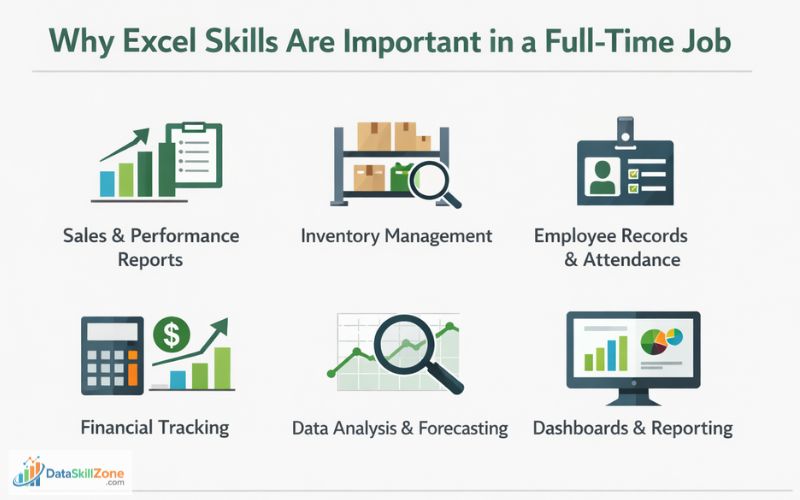
In most offices, Excel is used for:
- Daily sales and performance reports
- Inventory and stock management data
- Employee records and attendance tracker
- Financial tracking status
- Data analysis and forecasting
- Presentations and dashboards
No matter which department you work in, Excel is almost everywhere. When your Excel skills are weak, you depend on others. But when you upgrade your skills in Excel, you become confident and valuable to your team.
I realized early that improving my Excel skills was not optional. It was necessary for my career growth.
Many beginners actually start their careers using Excel, and here are some Excel jobs you can start as a beginner if you want to enter the data field.
My Starting Level Before I Improved My Excel Skills
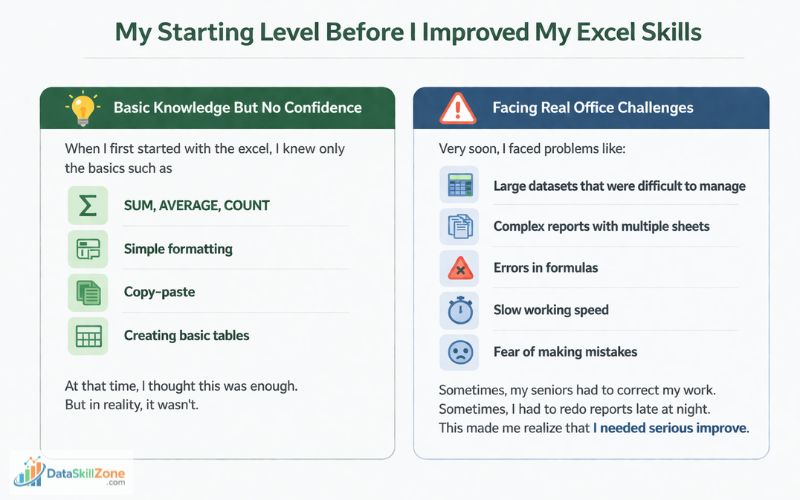
Basic Knowledge But No Confidence
When I first started with the excel, I knew only the basics such as
- SUM, AVERAGE, COUNT
- Simple formatting
- Copy-paste
- Creating basic tables
At that time, I thought this was enough. But in reality, it wasn’t.
Facing Real Office Challenges
Very soon, I faced problems like:
- Large datasets that were difficult to manage
- Complex reports with multiple sheets
- Errors in formulas
- Slow working speed
- Fear of making mistakes
Sometimes, my seniors had to correct my work. Sometimes, I had to redo reports late at night. This made me realize that I needed serious improve.
The Biggest Challenge: Learning While Working Full-Time
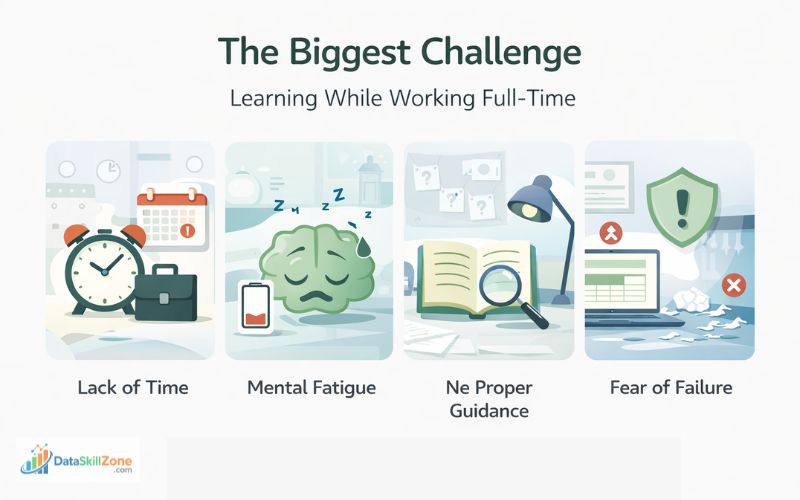
Learning Excel with a full-time job is such a difficult task. I faced many challenges.
Lack of Time
After working 8 to 9 hours daily, I felt tired. My mind was exhausted. Studying after office felt difficult.
Mental Fatigue
Even when I had time, my brain was not fresh. Concentration was low. Learning formulas seemed boring.
No Proper Guidance
In the beginning, I did not have a mentor. I had to find learning resources myself.
Fear of Failure
I was afraid of practicing on official data. What if I made mistakes? What if I deleted something important? This was kept coming to my mind.
These challenges slowed my progress in the beginning.
Wrong Approach vs Smart Approach
| Wrong Approach | Smart Approach |
|---|---|
| Trying to learn everything in one week | Learning one topic at a time |
| Watching tutorials only | Practicing with real data daily |
| Ignoring office tasks as learning | Using office reports as practice |
Excel Skills That Help Most in Office Jobs
Write bullet points:
- Pivot Tables
- VLOOKUP / XLOOKUP
- Data Cleaning
- Conditional Formatting
- Basic Dashboards
These are commonly valued spreadsheet skills in workplaces.
Excel Skill Roadmap for Working Professionals
How I Created a Practical Excel Learning Plan
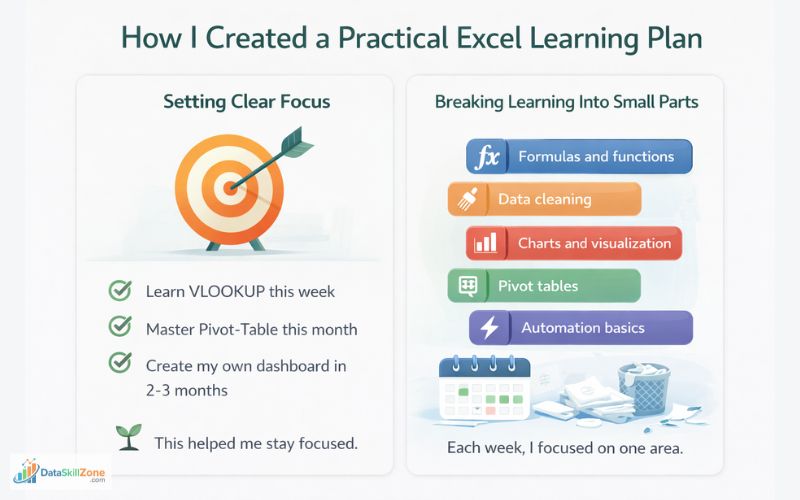
Setting Clear Focus
Instead of saying “I will learn Excel,” I made clear goals like:
- Learn VLOOKUP this week
- Master Pivot-Table this month
- Create my own dashboard in 2-3 months
This helped me stay focused.
Over time, I discovered that the best way to improve Excel skills is through consistent practice with real datasets rather than only watching tutorials.
Breaking Learning Into Small Parts
One strategy that helped me improve Excel skills was solving small data problems every day using formulas and pivot tables.
I stopped trying to learn everything at once. Instead, I divided Excel into parts:
- Formulas and functions
- Data cleaning
- Charts and visualization
- Pivot tables
- Automation basics
Each week, I focused on one area.
Excel Growth Path
Basics
Formatting, sorting, filtering, simple tables
Formulas
SUM, IF, XLOOKUP, COUNTIF, TEXT
Pivot Tables
Quick summaries, reports, trend analysis
Dashboards
Charts, KPIs, visual reporting
Career Growth
Better productivity, confidence, new opportunities
30-Day Excel Learning Roadmap for Working Professionals
Learning Excel in Small Daily Sessions
Using 30 to 40 Minutes Daily
I did not study for hours. I studied for:
- 20 minutes in the early morning
- 20 minutes at night
Small daily efforts gave big results.
Making Learning a Habit
I treated Excel learning like brushing teeth. It became part of my routine. Even on busy days, I practiced for at least 15 minutes.
Another useful way to practice is by downloading public datasets available on Kaggle and applying Excel formulas to analyze real-world data.
Using Office Work as Practice Material
Learning From Real Tasks
If someone truly wants to improve Excel skills, they should focus on applying Excel to real work situations such as sales reports, expense tracking, or data analysis.
Instead of practicing on dummy data, I used my office work data:
- Sales reports
- Attendance sheets
- Stock data
- Performance sheets
This made learning practical and useful.
Improving Old Reports
Whenever I created a report, I later tried to improve it:
- Can I reduce steps?
- Can I use a better formula?
- Can I make it cleaner?
- Sometimes I also use ChatGPT for guidance.
This habit improved my skills naturally.
Mastering Important Excel Functions Step by Step
Starting With Core Functions
I focused first on:
- IF
- VLOOKUP / HLOOKUP
- COUNTIF / SUMIF
- CONCAT
- TEXT functions
These are used daily in offices.
Moving to Advanced Functions
After basics, I learned:
- INDEX + MATCH
- XLOOKUP
- Nested formulas
- Dynamic arrays
- Logical combinations
This made me faster and more accurate.
You can also explore the Microsoft Excel official documentation to understand formulas, shortcuts, and features in more detail.
Learning Pivot Tables and Data Analysis
Understanding the Power of Pivot Tables
When I learned Pivot Tables, my work became much easier. I could:
- Summarize thousands of rows
- Analyze data in seconds
- Create dynamic reports
Practicing Daily
I practiced creating pivot tables from different datasets. Slowly, it became natural.
If you are wondering how to practice Excel when you don’t have access to office data, you can read my guide on practice data skills without real company data.
Improving Data Cleaning Skills
Why Data Cleaning Matters
Most office data comes messy initially. It has:
- Extra spaces
- Wrong formats
- Missing values
- Duplicate entries
If data is dirty, reports will be wrong.
Tools I Learned
I learned to use:
- TRIM
- CLEAN
- Remove Duplicates
- Text to Columns
- Find and Replace
These saved hours of work.
Learning From Mistakes and Feedback
Accepting Corrections
Initially, I felt upset when seniors pointing out my mistakes and corrected me. Later, I realized this was free learning.
Every mistake taught me something new.
Keeping a Learning Notebook
I maintained a small notebook where I wrote:
- New formulas
- Errors I made
- Solutions
This helped in revision.
Using Online Resources Wisely
Avoiding Random Learning
Instead of watching random videos, I followed structured learning.
Types of Resources I Used
- YouTube tutorials
- Excel blogs
- Practice websites
- Office templates
- Also guidance from chatgpt
I focused on learning what was useful for my job.
Creating My Own Excel Projects
Why Projects Help
Projects force you to apply knowledge.
I created:
- Monthly sales dashboard
- Attendance tracker
- Expense manager Staus
- Performance report Staus
These boosted my confidence.
Showing Projects to Seniors
I shared my dashboards with seniors and took feedback. This improved my professional image.
How Excel Skills Improved My Career
Increased Confidence
One thing I’m gonna tell you is that, once you master excel, automatically confidence gets developed. I stopped fearing Excel tasks. I started accepting challenging work.
Many professionals working in data roles try to improve Excel skills because Excel remains one of the most widely used tools for business analysis.
Better Recognition
Managers noticed my work. They trusted me with important reports. They started noticing my progress. Sometimes I also get appreciation from my higher level for quick job done.
Faster Growth
Because of Excel, I became more productive. This helped in career growth.
Many companies expect professionals to understand advanced Excel skills used in the workplace, especially when working with reports and data analysis.
Common Mistakes I Made While Learning Excel
Trying to Learn Everything Together
When you want learn something new, stick to it only one source. If you try to get knowledge from many sources at once, this causes confusion. Focus is important.
Ignoring Practice
Watching videos without practice is useless.
Comparing With Others
Everyone learns at their own speed. Comparison kills motivation.
Mistakes That Slowed My Excel Growth
Watching Without Practice
Videos alone did not improve my skills until I started solving real tasks myself.
Trying to Learn Everything Fast
Learning too many topics together created confusion and reduced progress.
Fear of Mistakes
Mistakes became my best teacher once I stopped avoiding them.
Tips for Beginners Who Want to Improve Excel Skills
Start With Basics
Do not jump to advanced topics immediately. Always start from the scratch and go in sequence.
Practice Daily
Consistency is more important than duration.
Use Office Work Smartly
Turn your job into a learning platform. Whenever you get the task from the office, consider it as an opportunity for new learning.
Ask Questions
Do not hesitate to ask seniors.
Be Patient
Excel mastery takes time. Just have to practice and see the progress. Definitely good result will come.
Daily Excel Practice Checklist
- Practice one formula or function
- Open one old report and improve it
- Work on one small data problem
- Spend 20–30 minutes only
- Write down one thing learned today
Once your Excel skills become strong, the next growth step is learning other tools. You can compare the learning path in our guide on Excel vs SQL vs Power BI.
Before vs After Improving My Excel Skills
My Final Thoughts: My Message to All Working Employees
Learning Excel while doing a full-time job is not easy, but it is completely possible. I am living proof of that.
You do not need expensive courses or special degrees. You need:
- Discipline
- Consistency
- Curiosity
- Patience
Start small. Learn daily. Apply immediately. Improve continuously.
If you follow this approach, within a few months, you will see a big difference in your skills and confidence.
Excel is not just a software. It is a career tool. Master it, and it will open many doors for you.
Anyone who wants to improve Excel skills should build a learning routine that includes practice, projects, and real-world data analysis.
You Do Not Need Free Time. You Need a System.
Even 20 minutes a day can transform your Excel skills if you stay consistent. Progress is built in small daily sessions.
Frequently Asked Questions
Clear answers to common questions about how to improve Excel skills while working full-time, even with a busy schedule.
How can I improve Excel skills while working full-time?
You can improve Excel skills while working full-time by practicing for 20–30 minutes daily, learning one topic at a time, applying Excel in real work tasks, and staying consistent for a few months.
What Excel skills are most important for beginners?
Important beginner skills include SUM, IF, COUNT, sorting, filtering, Pivot Tables, VLOOKUP or XLOOKUP, basic charts, and simple data cleaning techniques.
How long does it take to become good at Excel?
Many beginners can build strong Excel skills within two to three months with regular practice. Real progress depends on consistency, hands-on projects, and using Excel in daily tasks.
Is Excel still useful for data analysis careers?
Yes. Excel remains one of the most widely used tools for reporting, data cleaning, dashboards, and business analysis. Many professionals use Excel along with SQL and Power BI.
Can I learn Excel without taking expensive courses?
Yes. Many people learn Excel through free tutorials, practice datasets, office tasks, blogs, and consistent self-learning. Paid courses are optional, not mandatory.
What is the best way to practice Excel for real work?
The best way is to solve real problems such as sales reports, attendance sheets, trackers, dashboards, and data cleaning tasks. Practical work builds confidence faster than theory alone.

4 Comments