
 By
By Introduction
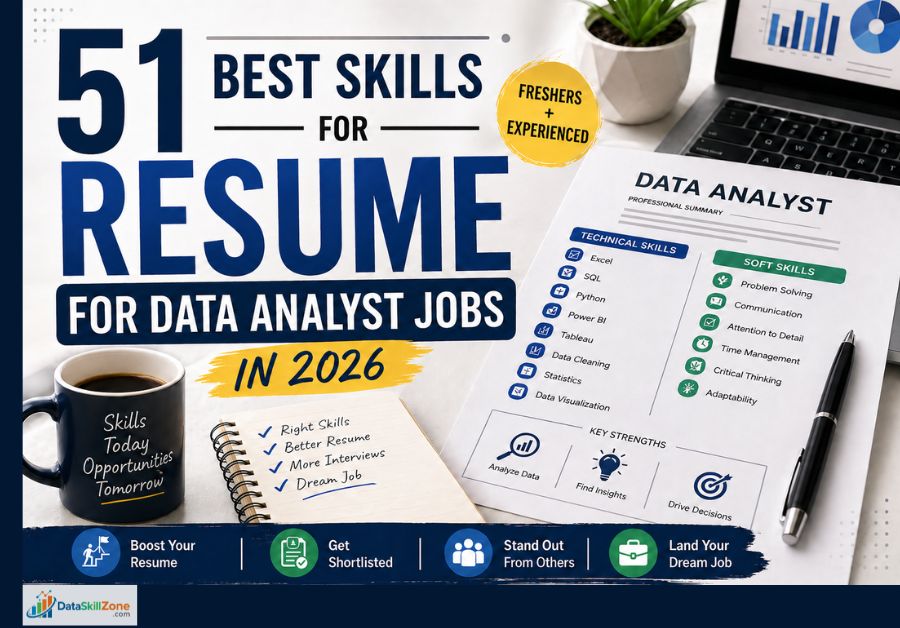
A resume is often your first opportunity to impress a recruiter. In many companies, recruiters spend only a few seconds scanning each application before deciding whether to continue or reject it. That is why choosing the right skills for a resume is extremely important.
For data analyst roles, employers want more than degrees and certificates. They want proof that you can work with data, build reports, create dashboards, solve business problems, and communicate insights clearly.
The good news is that you do not need to list hundreds of skills. You only need the right combination of relevant, job-focused skills presented in a smart way.
If you also want to build a complete job-ready resume, read our guide on how to prepare data analyst resume step by step.
In this guide, you will discover the best skills for resume for freshers and experienced professionals in 2026, whether you are a fresher, working professional, MIS executive, or career switcher.
The best skills for resume for data analyst jobs include Excel, SQL, Power BI, data cleaning, dashboards, communication, problem solving, and analytical thinking. Choose skills based on the job description and your real ability.
Why Resume Skills Matter for Data Analyst Jobs
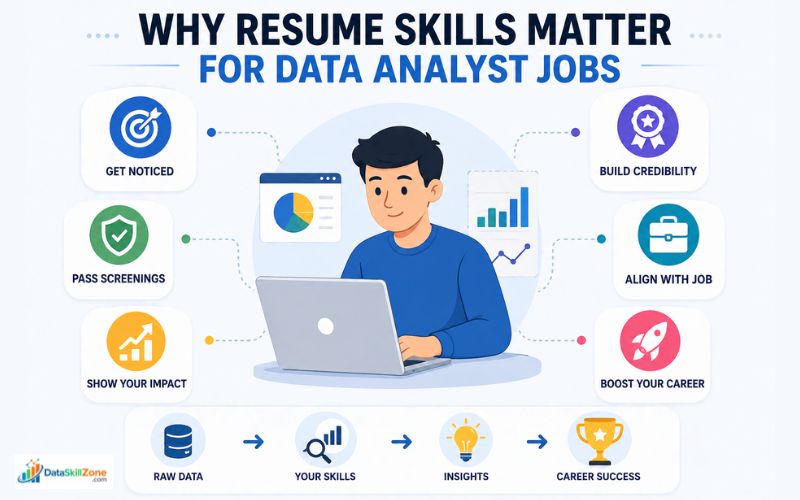
The skills section is one of the most important parts of a resume because it quickly shows your value.
For data analyst roles, employers are not only hiring a person with a degree. They are hiring someone who can work with data, identify trends, create reports, and support better business decisions. If your skills are clearly listed, it becomes easier for recruiters to understand your value immediately.
Key Reasons Resume Skills Matter
- Fast First Impression: Recruiters often scan resumes in seconds. Relevant skills help you stand out quickly. Want to know what recruiters notice first? Read our guide on how recruiters read resumes in the first 10 seconds.
- ATS Keyword Matching: Many companies use Applicant Tracking Systems that search for keywords like Excel, SQL, Power BI, Tableau, dashboards, and reporting.
- Shows Job Readiness: Skills prove that you can perform tasks required in the role from day one.
- Builds Confidence: A strong skill section makes employers feel you are a serious candidate.
- Easy Comparison: Recruiters compare many applicants. Specific skills help them shortlist faster.
Example
If one candidate writes “Good with computers” and another writes “Advanced Excel, SQL, Power BI, KPI Reporting,” the second candidate immediately appears stronger and more relevant.
| What Recruiters Check | What You Should Show |
|---|---|
| Relevant Tools | Excel, SQL, Power BI, Tableau, dashboards, and reporting tools. |
| Real Experience | Projects, reports, dashboards, internships, or practical work examples. |
| Soft Skills | Communication, teamwork, problem solving, and attention to detail. |
| Clean Format | A short, easy-to-scan skills section with clear keywords. |
| Job Match | Skills selected based on the job description and role requirements. |
Top 51 Best Skills for Resume for Data Analyst Jobs
To make this practical, we have divided the skills into categories.
1. Technical Skills for Data Analyst Resume
For freshers, technical skills show learning potential and practical readiness. For experienced candidates, they demonstrate efficiency, problem-solving ability, and hands-on expertise. The key is to list only the tools and skills you genuinely know and can explain during interviews.
Most Important Technical Skills to Include
Microsoft Excel
Used for calculations, data cleaning, reports, and dashboards.
Advanced Excel
Includes formulas, conditional formatting, charts, and automation.
Pivot Tables
Helps summarize large datasets quickly and clearly.
VLOOKUP / XLOOKUP
Useful for matching, searching, and combining data accurately.
SQL
Essential for querying databases and extracting useful information.
Joins & Filters
Important for combining tables and refining results.
Power BI
Used for interactive dashboards and business reporting.
Tableau
Popular tool for visual storytelling with data.
Python
Helpful for automation, analysis, and advanced data tasks.
Google Sheets
Useful for cloud collaboration and live reporting.
Power Query
Excellent for transforming messy raw data.
Data Cleaning
Removes duplicates, fixes errors, and standardizes formats.
Data Visualization
Turns numbers into charts, graphs, and insights.
Statistics Basics
Helps interpret trends, averages, and patterns.
ETL Basics
Helps understand how data moves between systems.
2. Business & Reporting Skills
Many candidates learn Excel, SQL, or Power BI, but companies hire analysts to solve business problems, improve decisions, and present useful insights. That is why recruiters value candidates who understand reporting logic, performance tracking, and business impact.
In real workplaces, data analysts are often responsible for creating daily, weekly, and monthly reports for managers. These reports help teams monitor sales, costs, productivity, customer behavior, and growth opportunities. If your resume includes strong business and reporting skills, it shows that you can convert numbers into actions that matter.
Important Business & Reporting Skills to Include
MIS Reporting
Creating structured reports for management review.
KPI Tracking
Monitoring key performance indicators such as sales, targets, and growth.
Forecasting
Predicting future trends using historical data.
Trend Analysis
Identifying patterns and changes over time.
Business Analysis
Understanding business needs and recommending solutions.
Decision Support
Providing insights that help managers make better decisions.
Report Automation
Reducing manual work through formulas, templates, or tools.
Dashboard Management
Maintaining live dashboards for regular monitoring.
Documentation
Keeping report processes and logic clearly recorded.
Root Cause Analysis
Finding the reason behind performance drops or issues.
Process Improvement
Using data to improve workflows and efficiency.
Stakeholder Communication
Sharing updates with managers and teams.
Why These Skills Matter
A recruiter may trust a candidate more when they see business-focused skills instead of only technical terms. It shows you understand how data supports company goals.
3. Soft Skills for Resume
In most organizations, data analysts regularly interact with managers, sales teams, finance teams, and operations staff. This means you need people skills along with technical knowledge. A strong combination of hard skills and soft skills makes you more valuable, easier to work with, and better prepared for career growth.
Important Soft Skills to Include
Communication Skills
Explaining insights in a simple and clear way.
Problem Solving
Identifying issues and finding practical solutions using data.
Attention to Detail
Preventing mistakes in reports, formulas, and dashboards.
Critical Thinking
Asking smart questions before making conclusions.
Teamwork
Collaborating with multiple departments smoothly.
Time Management
Handling deadlines, reports, and multiple tasks efficiently.
Adaptability
Learning new tools, systems, or changing business needs quickly.
Presentation Skills
Sharing findings confidently in meetings.
Ownership
Taking responsibility for tasks and results.
Learning Mindset
Staying updated with new trends and technologies.
Decision Making
Supporting actions with logic and evidence.
Professionalism
Maintaining reliability and a positive work attitude.
Why Soft Skills Matter
Two candidates may have similar technical skills, but the one with stronger communication and teamwork often gets selected. Employers know that workplace success depends on both knowledge and behavior.
Relevant skills for resume help recruiters quickly understand your value.
4. Advanced Value-Adding Skills
You do not need every advanced skill to get hired. Even having two or three relevant advanced skills can make your resume stronger, especially when applying for better-paying roles or growth-focused companies. These skills are particularly useful for experienced professionals, but motivated freshers can also learn some of them through projects, internships, or online practice.
Important Advanced Skills to Include
Data Storytelling
Turning numbers into clear business insights and recommendations.
Automation Basics
Using formulas, macros, or scripts to reduce manual work.
CRM Reporting
Working with customer data from CRM systems.
ERP Knowledge
Understanding business systems like SAP or Oracle.
Google Analytics
Helpful for web, product, or marketing analytics roles.
A/B Testing Basics
Comparing results to improve campaigns or products.
Stakeholder Management
Working effectively with managers and decision-makers.
Requirement Gathering
Understanding what business users actually need.
Quality Checking
Verifying report accuracy before sharing.
Confidential Data Handling
Managing sensitive company data responsibly.
Process Optimization
Improving reporting speed and workflow efficiency.
Cross-Functional Collaboration
Working with multiple departments successfully.
Why These Skills Matter
These abilities show maturity, business awareness, and leadership potential. They can help you move from a basic reporting role to a more strategic analyst position.
Best Skills for Freshers Resume
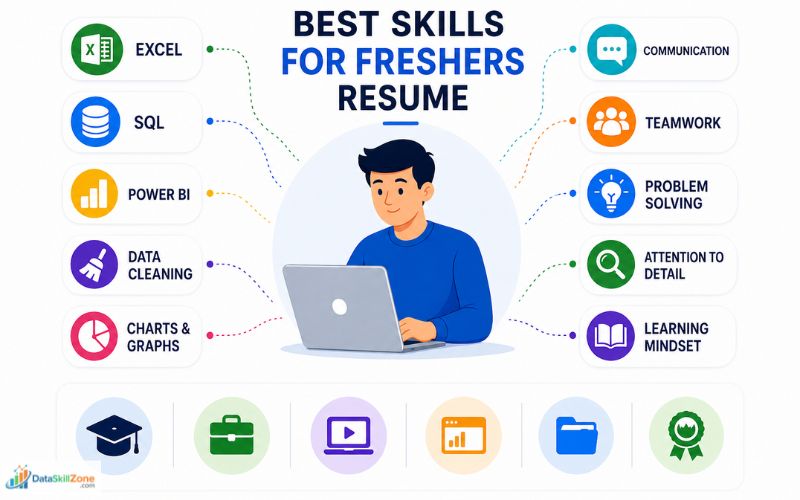
If you are a fresher, you may not have work experience. That is okay.
Many freshers underestimate their own experience. If you created dashboards during a course, analyzed datasets in college, completed Excel assignments, or learned SQL through online platforms, those are valuable indicators of job readiness.
Freshers should choose skills for resume based on projects, certifications, and practical learning.
The key is to present them confidently and honestly.
Where Freshers Can Gain Skills
- College Projects – Data analysis, reports, research work, presentations.
- Internships – Real tasks, teamwork, reporting, basic analytics exposure.
- Online Courses – Excel, SQL, Power BI, Tableau, Python learning.
- Practice Dashboards – Personal dashboard projects using sample data.
- Portfolio Projects – Showcasing your work on GitHub, Drive, or PDF.
- Certifications – Recognized training programs that validate your learning.
Best Fresher Skills to Add
- Excel – Core tool for data handling and reporting.
- SQL Basics – Querying and filtering data.
- Power BI – Dashboard creation and visualization.
- Data Cleaning – Organizing raw data accurately.
- Charts & Graphs – Presenting insights visually.
- Communication – Explaining your findings clearly.
- Teamwork – Collaborating in projects or internships.
- Problem Solving – Using logic to answer business questions.
- Attention to Detail – Avoiding mistakes in data work.
- Learning Mindset – Adapting quickly to new tools and tasks.
Best Skills for Experienced Professionals
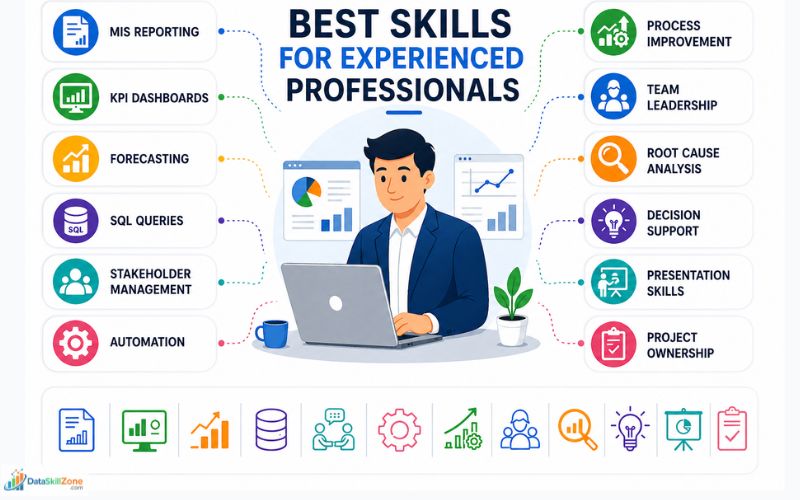
If you already have experience, focus on impact-based skills. Instead of focusing only on “Excel” or “SQL,” show how you used those tools to solve problems, save time, increase efficiency, or improve reporting quality.
Experienced professionals should present skills for resume with measurable achievements and impact.
Experienced candidates stand out when they demonstrate both technical expertise and business maturity.
Best Skills for Experienced Candidates
- MIS Reporting – Creating accurate daily, weekly, and monthly management reports.
- KPI Dashboards – Building dashboards to track targets, growth, and performance.
- Forecasting – Predicting trends using historical data and business patterns.
- SQL Queries – Writing advanced queries for data extraction and reporting.
- Stakeholder Management – Working with managers, clients, and cross-functional teams.
- Automation – Reducing manual tasks through formulas, macros, scripts, or BI tools.
- Process Improvement – Identifying inefficiencies and improving workflows.
- Team Leadership – Guiding juniors, coordinating tasks, and mentoring team members.
- Root Cause Analysis – Solving recurring business issues through data insights.
- Decision Support – Providing insights that help leadership take action.
- Presentation Skills – Sharing performance updates confidently in meetings.
- Project Ownership – Taking responsibility for deadlines and deliverables.
Fresher Resume Skills vs Experienced Resume Skills
Freshers should highlight learning ability, projects, and basic tool knowledge. Experienced professionals should focus on impact, ownership, reporting quality, automation, and business results.
| Skill Area | Fresher Resume Skills | Experienced Resume Skills |
|---|---|---|
| Excel | Basic formulas, formatting, charts, sorting, filtering, and simple reports created during college projects or practice assignments. | Advanced Excel reporting, MIS dashboards, lookup formulas, pivot tables, data validation, automation, and time-saving report formats. |
| SQL | Basic SELECT queries, filtering, sorting, joins, and small practice datasets from online courses or projects. | Advanced SQL queries, data extraction, joins, subqueries, report automation, large dataset handling, and business reporting support. |
| Power BI | Simple dashboards, charts, slicers, and visuals built using sample datasets or course projects. | KPI dashboards, performance tracking, executive reporting, data modelling, DAX basics, and business decision dashboards. |
| Communication | Ability to explain projects, present college work, and communicate clearly during interviews. | Sharing insights with managers, presenting reports in meetings, explaining trends, and supporting leadership decisions. |
| Problem Solving | Solving assignment-based problems, analyzing sample datasets, and finding basic patterns. | Finding root causes, improving reporting accuracy, reducing manual errors, and solving recurring business issues. |
| Project Work | College projects, internships, online course projects, portfolio dashboards, and certifications. | Project ownership, deadline management, stakeholder coordination, process improvement, and measurable work impact. |
What Recruiters Want to See
They want proof that you can handle responsibility, think strategically, and create measurable results. Add numbers whenever possible.
Example: “Automated weekly reports, reducing reporting time by 40%.”
Technical Skills vs Soft Skills (Quick Comparison)
| Technical Skills | Soft Skills | Why It Matters |
|---|---|---|
| Excel | Attention to Detail | Helps maintain accurate reports and error-free data. |
| SQL | Problem Solving | Useful for finding answers from large datasets quickly. |
| Power BI | Communication | Turns insights into clear dashboards for teams. |
| Tableau | Presentation Skills | Makes reporting more engaging and easier to understand. |
| Data Cleaning | Patience | Improves data quality before analysis begins. |
| Automation | Time Management | Reduces manual work and saves valuable time. |
How to Select the Best Skills for Your Resume
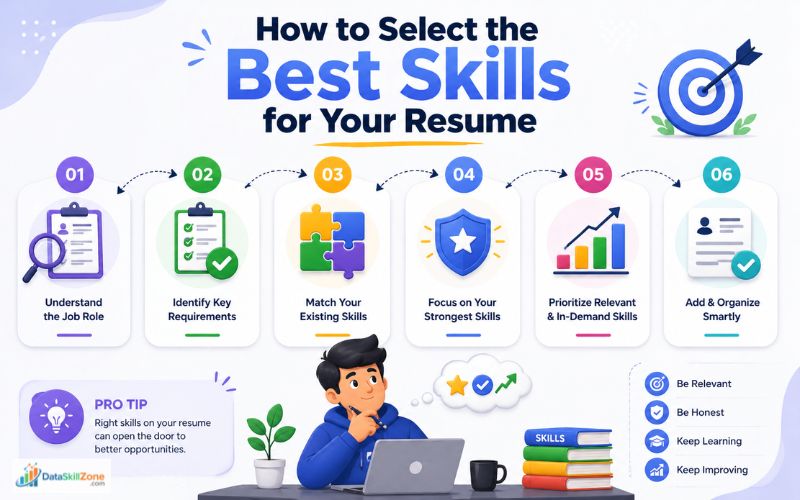
Do not copy random lists from the internet. Choose skills strategically.
The best approach is to choose skills strategically based on job requirements, your actual ability, and your career level. You can also review current hiring trends and resume advice from Indeed Career Guide.
A targeted skills section improves your chances of passing ATS filters and helps recruiters understand why you are a strong fit for the position.
Step 1: Read the Job Description Carefully
Look for repeated tools, software, and responsibilities. If the job mentions SQL, Excel, dashboards, reporting, or communication multiple times, those are likely priority skills.
Step 2: Match Real Skills
Only include skills you genuinely know and can explain in an interview. Never add tools just because they are popular. Also avoid common errors that weaken your application by reading our guide on resume mistakes to avoid.
Step 3: Prioritize Relevant Skills
Place your strongest and most job-relevant skills first. Recruiters usually scan quickly, so important skills should be visible immediately.
Step 4: Customize for Each Job
A reporting role may prioritize Excel and MIS reporting, while a BI role may focus on Power BI or Tableau. Adjust accordingly.
Step 5: Show Proof in the Experience Section
Your resume becomes stronger when skills are supported by achievements.
Example:
Created a Power BI dashboard that reduced reporting time by 40% and improved weekly visibility for management.
Choose quality over quantity. A focused list of 8–15 relevant skills with real proof is far more effective than a long, generic list that lacks credibility.
Common Mistakes to Avoid When Adding Skills for Resume
Adding skills for resume is not only about listing tools. The real goal is to show relevant, honest, and job-ready strengths that match the role.
| Common Mistake | Why It Weakens Your Resume | Better Approach |
|---|---|---|
| Fake Skills | Adding tools you cannot explain may create problems during interviews. | Be Honest List only skills you can explain with examples, projects, or work experience. |
| Too Many Skills | A long random list looks unfocused and makes your resume difficult to scan. | Keep It Relevant Choose 8–15 strong skills that match the job description. |
| No Proof | Recruiters may not trust skills if they are not supported by projects or achievements. | Show Evidence Mention reports, dashboards, internships, certifications, or measurable results. |
| Generic Words | Terms like hardworking or sincere do not clearly show job readiness. | Use Specific Skills Use clear terms like Excel, SQL, Power BI, data cleaning, KPI reporting, or communication. |
| Poor Order | Important skills may get ignored if they are hidden at the end. | Prioritize First Place your strongest and most relevant skills near the beginning of the skills section. |
| Same Resume | Using one skills section for every job may reduce your ATS matching score. | Customize Adjust your skills for resume based on each job description and role requirement. |
How Recruiters Evaluate Skills for Resume
Recruiters do not only check whether you listed skills. They evaluate whether your skills for resume are relevant, believable, and matched with the actual job role.
Relevance
They check whether your skills match the tools, responsibilities, and requirements mentioned in the job description.
Clarity
A clean, readable, and well-organized skills section creates a stronger first impression in just a few seconds.
Proof
Skills supported by dashboards, projects, achievements, internships, or work experience look more trustworthy.
Career Level
Freshers should show learning potential, while experienced candidates should highlight ownership, results, and business impact.
Resume Skills Example for Freshers
The best approach for freshers is to include a mix of technical skills and workplace skills.
Technical skills show that you can work with data and tools, while soft skills show that you can learn, communicate, and collaborate effectively in a professional environment.
Keep the section clean, honest, and relevant to the job you are applying for.
Fresher Resume Skills Matrix
Use these skills to show learning ability, project exposure, tool knowledge, communication, and job readiness.
Technical Skills
Data Skills
Workplace Skills
Job Readiness
Why These Skills Work
- Excel & SQL Basics show you can handle and query data.
- Power BI & Charts show reporting and dashboard ability.
- Data Cleaning proves practical data preparation skills.
- Communication & Teamwork show workplace readiness.
- Attention to Detail is essential for accurate reporting.
Do not copy every skill into your resume. Select the ones you genuinely know and that match the job description. If possible, support them with projects, internships, or certifications in other sections of your resume.
Resume Skills Example for Experienced Candidate
Unlike fresher resumes, experienced resumes should focus on skills developed through real projects, daily responsibilities, and results achieved in previous roles.
A well-structured skills section helps recruiters quickly understand your level of expertise and whether you are ready for higher responsibility positions.
Experienced Candidate Skills Matrix
Use these skills to show reporting ownership, business impact, automation, leadership, and senior-level responsibility.
Technical Expertise
Reporting & Analytics
Business Skills
Leadership & Impact
Why These Skills Work
- Advanced Excel & SQL show strong technical capability.
- Dashboard Creation & KPI Tracking prove reporting expertise.
- Forecasting & Business Analysis highlight strategic thinking.
- Stakeholder Management shows professional maturity and communication.
- Process Improvement & Automation indicate efficiency and value creation.
- Leadership Skills become important for senior or growing roles.
Stronger Resume Tip
Whenever possible, connect these skills with achievements in your experience section.
Example:
Developed KPI dashboards that improved management visibility across 5 regions and reduced reporting time by 30%.
As an experienced candidate, focus on high-value skills that show results, ownership, and readiness for the next level in your career.
Pro Tip: Best Order to Display Skills
Instead of writing one long random line of skills, group them in a smart sequence.
This helps recruiters immediately notice your strongest qualifications and understand your profile faster.
It also improves ATS readability because relevant keywords appear in a clean format.
Best Order to Display Skills
1. Core Technical Skills
Start with the most important job-related tools. These are often the first things recruiters look for in analyst roles.
Examples:
Excel, Advanced Excel, SQL, Power BI, Tableau, Python, Data Cleaning
2. Reporting / Business Skills
After technical tools, show how you use data in real business environments.
Examples:
MIS Reporting, KPI Tracking, Forecasting, Dashboard Creation, Trend Analysis, Business Analysis
3. Soft Skills
Now include workplace strengths that support daily performance and collaboration.
Examples:
Communication, Problem Solving, Attention to Detail, Teamwork, Time Management
4. Additional Tools
Finish with extra tools or bonus skills that can strengthen your profile.
Examples:
Google Sheets, Power Query, Google Analytics, CRM Reporting, ERP Knowledge
Why This Order Works
- Highlights your strongest skills first
- Makes scanning easier for recruiters
- Looks clean and professional
- Improves keyword visibility
- Creates a better first impression
Always place the most relevant skills at the top based on the job description. A well-ordered skills section can make your resume stand out instantly.
Suggested Resume Skills Section Format
A well-structured skills section improves readability, creates a stronger first impression, and helps ATS software detect relevant keywords more effectively.
Instead of writing long paragraphs or messy bullet lists, keep the section concise, organized, and focused on the job you are targeting.
Recommended Resume Skills Format
Skills:
Excel | SQL | Power BI | Tableau | Data Cleaning | Dashboard Creation | KPI Reporting | Communication | Problem Solving
This style works well because it is compact, modern, and quick to scan. If you want to create a professional resume quickly, explore these top free resume builder tools in 2026.
Alternative Category-Based Format
Technical Skills: Excel, SQL, Power BI, Tableau, Data Cleaning
Reporting Skills: Dashboard Creation, KPI Reporting, MIS Reporting
Soft Skills: Strong Communication, Problem-Solving Ability, Team Collaboration, Attention to Detail
This version is ideal if you have more experience or want a more organized layout.
Why This Format Works
- Easy for recruiters to scan quickly
- Looks clean and professional
- Highlights relevant keywords clearly
- Saves space on the resume
- ATS-friendly when using common terms
- Helps separate strengths logically
Always customize your skills format based on the job role. For fresher resumes, keep it simple and focused.
For experienced professionals, category-based formatting often creates a stronger impression.
Most importantly, include only skills you genuinely know and can demonstrate during interviews.
Do not add random skills for resume. Focus on relevant and honest strengths.
Quick Resume Skills Checklist
Final Thoughts
The right resume skills can make the difference between getting ignored and getting shortlisted. In 2026, employers want candidates who can combine tools, business understanding, and communication. You can also explore current data analyst openings on LinkedIn Jobs to understand which skills employers are actively demanding.
If you are starting your career, focus on fundamentals like Excel, SQL, and Power BI. If you already have experience, highlight impact, reporting ownership, and decision-making support.
You can also follow our complete data analyst career roadmap to build the right skills step by step.
Do not try to impress with quantity. Impress with relevance.
Take One Small Step Before You Apply
Before sending your resume, read your skills section like a recruiter. Ask yourself: “Can I explain each skill confidently if someone asks me in an interview?”
Simple resume check: Keep the skills you truly know, remove the ones added only for decoration, and connect at least 2–3 skills with real projects, reports, dashboards, or achievements.
- Use honest and relevant skills for resume.
- Match your skills with the job description.
- Add proof through projects, internships, or work results.
Frequently Asked Questions
Clear answers to common questions about skills for resume, fresher resumes, experienced candidate skills, ATS optimization, and getting shortlisted for data analyst jobs in 2026.
What are the best skills for resume for data analyst jobs?
The best skills usually include Excel, SQL, Power BI, data cleaning, dashboards, communication, problem solving, and analytical thinking. Choose skills based on the role you are applying for.
How many skills should I add in my resume?
There is no fixed number, but 8 to 15 relevant skills are usually enough. Focus on quality, relevance, and honesty instead of adding too many random tools.
Which skills should freshers add in their resume?
Freshers should highlight beginner-friendly skills such as Excel, SQL basics, Power BI, charts, teamwork, communication, and attention to detail. Add projects or certifications if possible.
What should experienced candidates include in the skills section?
Experienced candidates should include advanced tools plus business impact skills like MIS reporting, KPI tracking, forecasting, automation, stakeholder management, and leadership.
Do recruiters really check the skills section first?
Yes, many recruiters scan the skills section quickly to check whether your profile matches the job description. A clear and relevant skills section can improve shortlist chances.
Can I add skills in resume if I am still learning them?
Yes, but be honest. Mention only skills you can explain in an interview or demonstrate through projects, practice work, internships, or certifications.
How do I make my resume ATS friendly?
Use a clean layout, standard headings, job-relevant keywords, readable fonts, and simple formatting. Avoid heavy graphics, tables, or unnecessary design elements.